Appearance
Roles and Permission
Roles provide a way to lock users or teams to specific projects or a group of features inside a project.
Resources
We identify the following resources within Testslick features and project information
- Project list: project index page and search results.
- Devices: access to the organization's device configurations
- Team: ability to view and manage teams
- Project: the access to information/features for a specific project
If a user has access to a project, either but direct assignment or through a team access, we can manage access to the following project resources:
- Datasets
- Environments
- Tag Manager
- Repository
- Steps
- Tags
- Comments
- Suite
- Comments
- Tags Test
- Boards
- Publish
- Comments
- Tags
- Issues
- Comments
- Tags
- Boards
- Boards comments
- Requirements
- Category
- Link Tests
- Comments
- Tags
- Boards
- Boards comments
- Run
- Tags
Permissions
The type of access to a specific resource has 4 different levels. We call them the permissions or access level.
| Title | View Assets | Create new | Update | Delete |
|---|---|---|---|---|
| Viewer | all | not allowed | not allowed | not allowed |
| Contributor | all | yes | only their own | only their own |
| Editor | all | yes | any | any |
| Manager | all | yes | any | any |
Role
Roles can be set to any user and for each existing team.
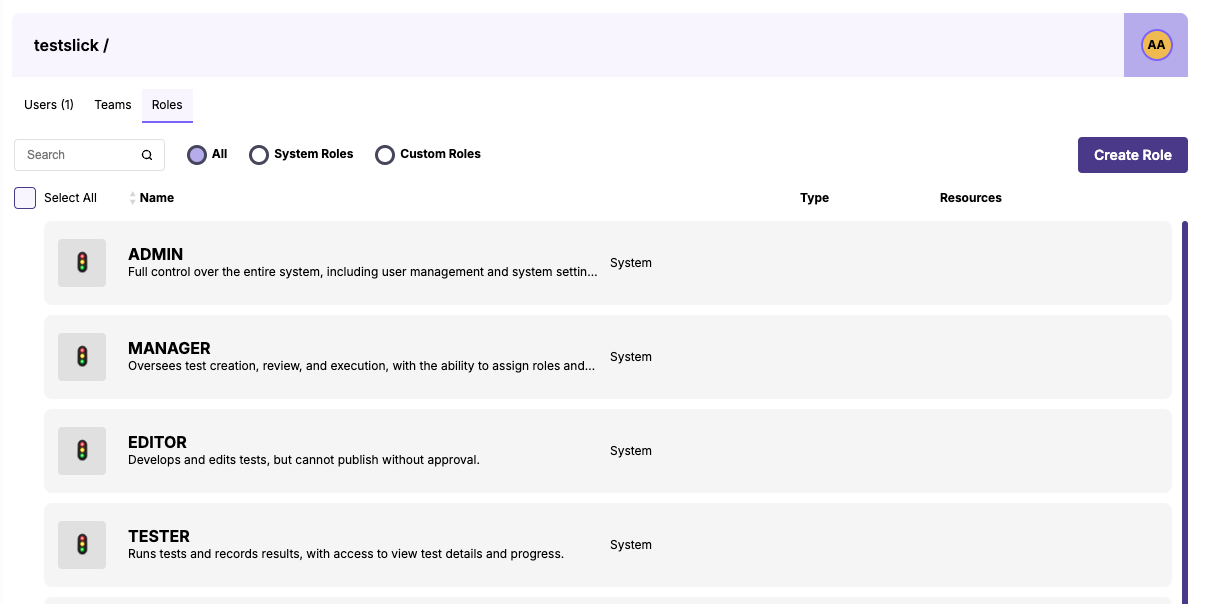
If we assign a permission to a all or a sub-set of resources, we create a Role. A Role is a map of the access/actions a user can perform for every specific resource.
System Roles
Administration users or users with manager level access to Team can create any combination of resources and permissions. To facilitate setting up roles, we provide system roles with predefined permissions:
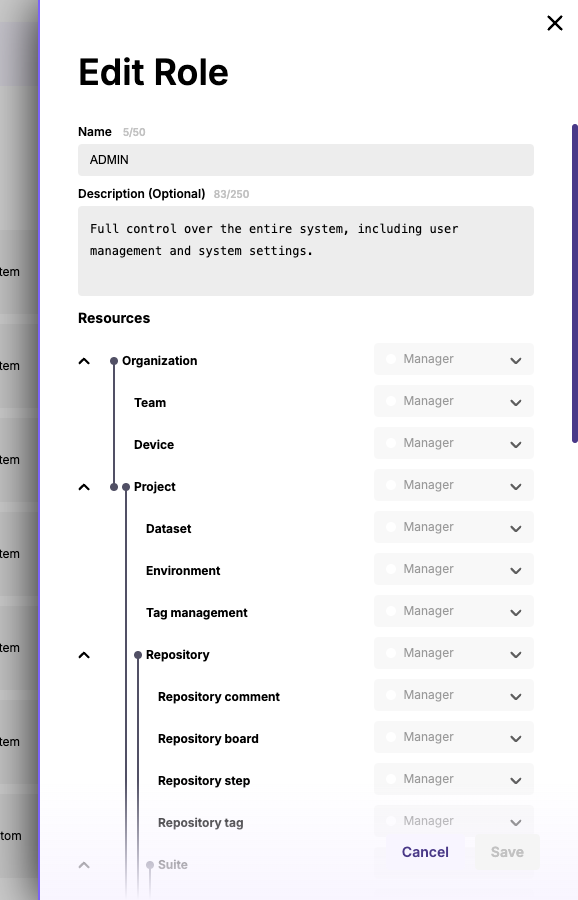
You can inspect the resource map of system and custom roles.
Roles precedent
When determining if a user can view or perform an action in the app, the user can have different conflicting roles. Consider this example:
- User has its own role and has direct access to project X
- User is part of team A with access to project X
- User is part of team B with access to project X
Testslick will enforce the highest permission level for the resource.
Benefits of roles
- Role-Based Collaboration: Granular control over access ensures each team member has the right tools for their role
- Improved Workflow Management: Managers can easily oversee workflows by assigning users to projects and teams
- Enhanced Security: Role-specific permissions reduce risks by limiting access based on responsibilities
- Centralized User Management: A single interface to manage invitations, roles, and assignments for streamlined operations
This section simplifies team coordination and ensures each member has a clear role, fostering collaboration and maintaining system security